
gzoonet/cortex

gzoonet/cortex

от gzoonet
Сервер GZOO Cortex — локальный граф знаний для разработчиков: мониторит файлы проектов, извлекает сущности и связи с помощью LLM. MCP инструмент для Claude Code с 12 инструментами позволяет задавать вопросы о проектах и выявлять противоречия прямо из диалога.

GZOO Cortex

GZOO Cortex — Local-first knowledge graph for developers

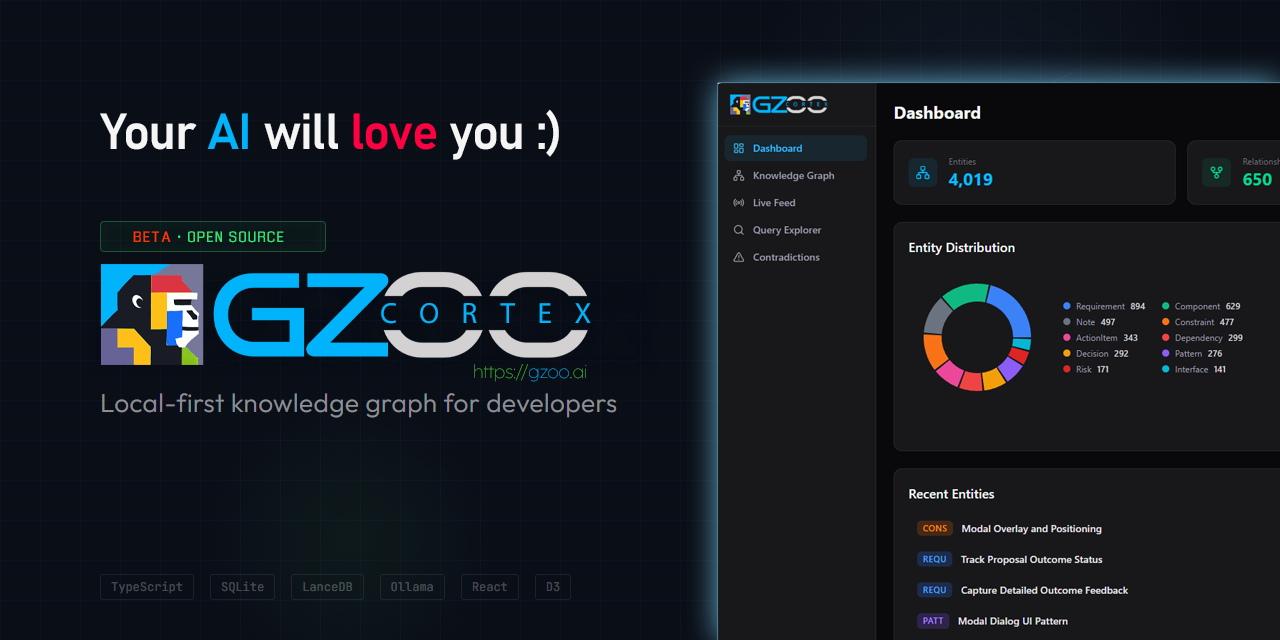
Local-first knowledge graph for developers. Watches your project files, extracts entities and relationships using LLMs, and lets you query across all your projects in natural language.

“What architecture decisions have I made across projects?”

Cortex finds decisions from your READMEs, TypeScript files, config files, and conversation exports — then synthesizes an answer with source citations.

Why

You work on multiple projects. Decisions, patterns, and context are scattered across hundreds of files. You forget what you decided three months ago. You re-solve problems you already solved in another repo.

Cortex watches your project directories, extracts knowledge automatically, and gives it back to you when you need it.

What It Does

  • Watches your project files (md, ts, js, py, json, yaml) for changes
  • Extracts entities: decisions, patterns, components, dependencies, constraints, action items
  • Infers relationships between entities across projects
  • Detects contradictions when decisions conflict
  • Queries in natural language with source citations
  • Searches semantically — blends keyword and vector (embedding) similarity so queries match by meaning, not just keywords (optional; see Semantic Search)
  • Routes intelligently between cloud and local LLMs
  • Respects privacy — restricted projects never leave your machine
  • Web dashboard with knowledge graph visualization, live feed, and query explorer
  • MCP server for direct integration with Claude Code

Часто задаваемые вопросы

У этого сервера пока нет списка инструментов.
0.8.0основная
0.7.1
0.7.0
0.6.7
0.6.6
0.6.5
0.6.4
0.6.3
0.6.2
0.6.1
0.6.0
0.5.19
0.5.18
0.5.17
0.5.16
0.5.15
0.5.14
0.5.13
0.5.12
0.5.11
0.5.10
0.5.9

Выберите клиент, чтобы установить gzoonet/cortex:

Любой клиент

Конфиг добавления MCP сервера стандартный, обычно он не меняется вообще, поэтому подходит практически к любому ИИ клиенту, поддерживающему MCP.

{
  "mcpServers": {
    "gzoonet-cortex-bflyuzemt9": {
      "command": "npx",
      "args": [
        "@gzoo/cortex",
        "mcp"
      ]
    }
  }
}
CursorCursor

Перейдите по ссылке и сервер автоматически будет добавлен в Cursor. Либо откройте/создайте файл ~/.cursor/mcp.json(%USERPROFILE%\.cursor\mcp.json на Windows) и добавьте конфиг сервера:

{
  "mcpServers": {
    "gzoonet-cortex-bflyuzemt9": {
      "command": "npx",
      "args": [
        "@gzoo/cortex",
        "mcp"
      ]
    }
  }
}
VS Code

Создайте .vscode/mcp.json в проекте (ключ верхнего уровня — servers):

{
  "servers": {
    "gzoonet-cortex-bflyuzemt9": {
      "type": "stdio",
      "command": "npx",
      "args": [
        "@gzoo/cortex",
        "mcp"
      ]
    }
  }
}

Либо добавьте сервер через терминал:

code --add-mcp "{\"name\":\"gzoonet-cortex-bflyuzemt9\",\"type\":\"stdio\",\"command\":\"npx\",\"args\":[\"@gzoo/cortex\",\"mcp\"]}"
ClaudeClaude Desktop

Откройте Settings → Developer → Edit Config — это откроет файл claude_desktop_config.json:

  • macOS: ~/Library/Application Support/Claude/claude_desktop_config.json
  • Windows: %APPDATA%\Claude\claude_desktop_config.json

Впишите сервер и полностью перезапустите Claude Desktop:

{
  "mcpServers": {
    "gzoonet-cortex-bflyuzemt9": {
      "command": "npx",
      "args": [
        "@gzoo/cortex",
        "mcp"
      ]
    }
  }
}
Claude CodeClaude Code

Добавьте сервер одной командой в терминале:

claude mcp add gzoonet-cortex-bflyuzemt9 -- npx @gzoo/cortex mcp

Либо через JSON-конфиг:

claude mcp add-json gzoonet-cortex-bflyuzemt9 "{\"command\":\"npx\",\"args\":[\"@gzoo/cortex\",\"mcp\"]}"
CodexCodex

Добавьте сервер командой в терминале:

codex mcp add gzoonet-cortex-bflyuzemt9 -- npx @gzoo/cortex mcp

Либо вручную в ~/.codex/config.toml(%USERPROFILE%\.codex\config.toml на Windows):

[mcp_servers.gzoonet-cortex-bflyuzemt9]
command = "npx"
args = ["@gzoo/cortex", "mcp"]
PerplexityPerplexity

MCP доступен подписчикам Perplexity Pro / Max / Enterprise. Локальные серверы — только в приложении для macOS.

  1. Откройте Настройки аккаунта → Connectors.
  2. Установите вспомогательное приложение PerplexityXPC (один раз).
  3. Нажмите Add Connector → вкладка Simple.
  4. В поле Server Name укажите gzoonet/cortex, а в поле команды запуска — строку ниже:
npx @gzoo/cortex mcp

Нажмите Save и дождитесь статуса Running.

WindsurfWindsurf

Откройте Windsurf Settings → Cascade → MCP Servers или отредактируйте файл ~/.codeium/windsurf/mcp_config.json:

{
  "mcpServers": {
    "gzoonet-cortex-bflyuzemt9": {
      "command": "npx",
      "args": [
        "@gzoo/cortex",
        "mcp"
      ]
    }
  }
}
ClineCline

В панели Cline нажмите иконку MCP Servers → Configure → Configure MCP Servers (или отредактируйте ~/.cline/mcp.json) и добавьте сервер:

{
  "mcpServers": {
    "gzoonet-cortex-bflyuzemt9": {
      "command": "npx",
      "args": [
        "@gzoo/cortex",
        "mcp"
      ],
      "disabled": false,
      "autoApprove": []
    }
  }
}
Continue

Создайте файл в .continue/mcpServers/ (например gzoonet-cortex-bflyuzemt9.yaml) или добавьте блок в config.yaml. MCP работает только в режиме agent:

mcpServers:
  - name: gzoonet-cortex-bflyuzemt9
    command: npx
    args:
      - "@gzoo/cortex"
      - "mcp"
Zed

Выполните agent: add context server или откройте настройки (zed: open settings file) и добавьте сервер в объект context_servers:

{
  "context_servers": {
    "gzoonet-cortex-bflyuzemt9": {
      "command": "npx",
      "args": [
        "@gzoo/cortex",
        "mcp"
      ]
    }
  }
}

Похожие MCP-сервера

ndjordjevic/pinrag

ndjordjevic/pinrag

от ndjordjevic

PinRAG индексирует PDF, GitHub, YouTube, Discord и заметки в единый RAG-индекс. Задавайте вопросы из редактора — ответы с цитатами на источники. Полезен разработчикам и исследователям для работы с ...

Python⭐ 2
yuchen20/memory-plus

yuchen20/memory-plus

от yuchen20

Memory-Plus - MCP сервер с локальным RAG для записи и поиска заметок и контекста. Визуализация связей между воспоминаниями. Полезен для долговременной памяти ассистентов.

Python⭐ 56
ragieai/mcp-server

ragieai/mcp-server

официальный

от ragieai

Извлекайте информацию из базы знаний Ragie с помощью MCP-сервера. Инструмент retrieve возвращает релевантные фрагменты, учитывая ранжирование и свежесть. Идеален для интеграции корпоративных знаний...

JavaScript⭐ 91
XJTLUmedia/Context-First-MCP

XJTLUmedia/Context-First-MCP

от xjtlumedia

MCP-сервер предотвращает потерю контекста и противоречия в длинных AI-диалогах. 37 инструментов с оркестратором context_loop автоматически проверяют контекст, выявляют неоднозначности и верифицирую...

TypeScript⭐ 2
dmayboroda/minima

dmayboroda/minima

от dmayboroda

Minima — open-source MCP сервер для локального RAG в контейнерах. Поддерживает изолированный Ollama, кастомные LLM и интеграцию с ChatGPT и Claude. Индексирует документы и отвечает на вопросы, обеспечивая полный контроль над данными. Полезен для конфиденциальных проектов и офлайн-сред.

Python⭐ 1054
graphlit-mcp-server

graphlit-mcp-server

официальный

от graphlit

MCP сервер для Graphlit — превращает проект в RAG-базу знаний из данных Slack, Discord, Jira, GitHub, Google Drive. Работает в Cursor, Windsurf, Goose, Cline. Встроен веб-краулинг и веб-поиск.

TypeScript⭐ 377
© Каталог MCP, 2026. Все права защищены.
Проект не аффилирован с Anthropic и любыми упомянутыми продуктами.
Все названия и торговые марки принадлежат их владельцам.
Контакты для связи: hi@mcp-katalog.ru

Лука Никитин