MCP Alchemy
Status: Actively maintained and in daily use. Tested releases are published to PyPI with git tags, and issues and pull requests are triaged regularly.
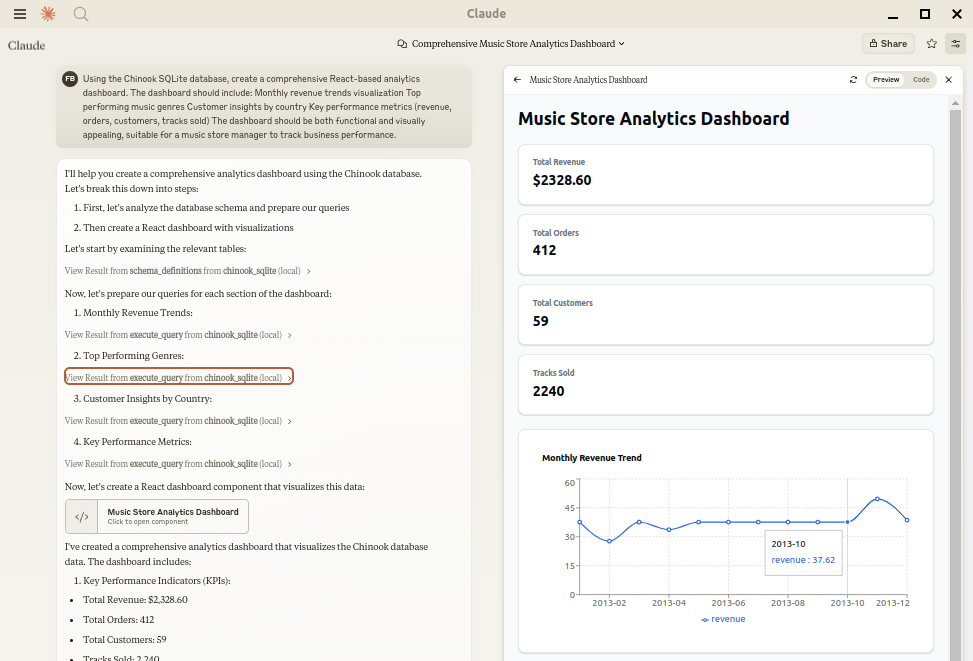
Let Claude be your database expert! MCP Alchemy connects Claude Desktop directly to your databases, allowing it to:
- Help you explore and understand your database structure
- Assist in writing and validating SQL queries
- Displays relationships between tables
- Analyze large datasets and create reports
- Claude Desktop Can analyse and create artifacts for very large datasets using claude-local-files.
Works with PostgreSQL, MySQL, MariaDB, SQLite, Oracle, MS SQL Server, CrateDB, Vertica, and a host of other SQLAlchemy-compatible databases.
Installation
Ensure you have uv installed:
# Install uv if you haven't already
curl -LsSf https://astral.sh/uv/install.sh | sh
Usage with Claude Desktop
Add to your claude_desktop_config.json. You need to add the appropriate database driver in the --with parameter.
Note: After a new version release there might be a period of up to 600 seconds while the cache clears locally cached causing uv to raise a versioning error. Restarting the MCP client once again solves the error.