
日本語版 READMEはこちら
LINE Bot MCP Server

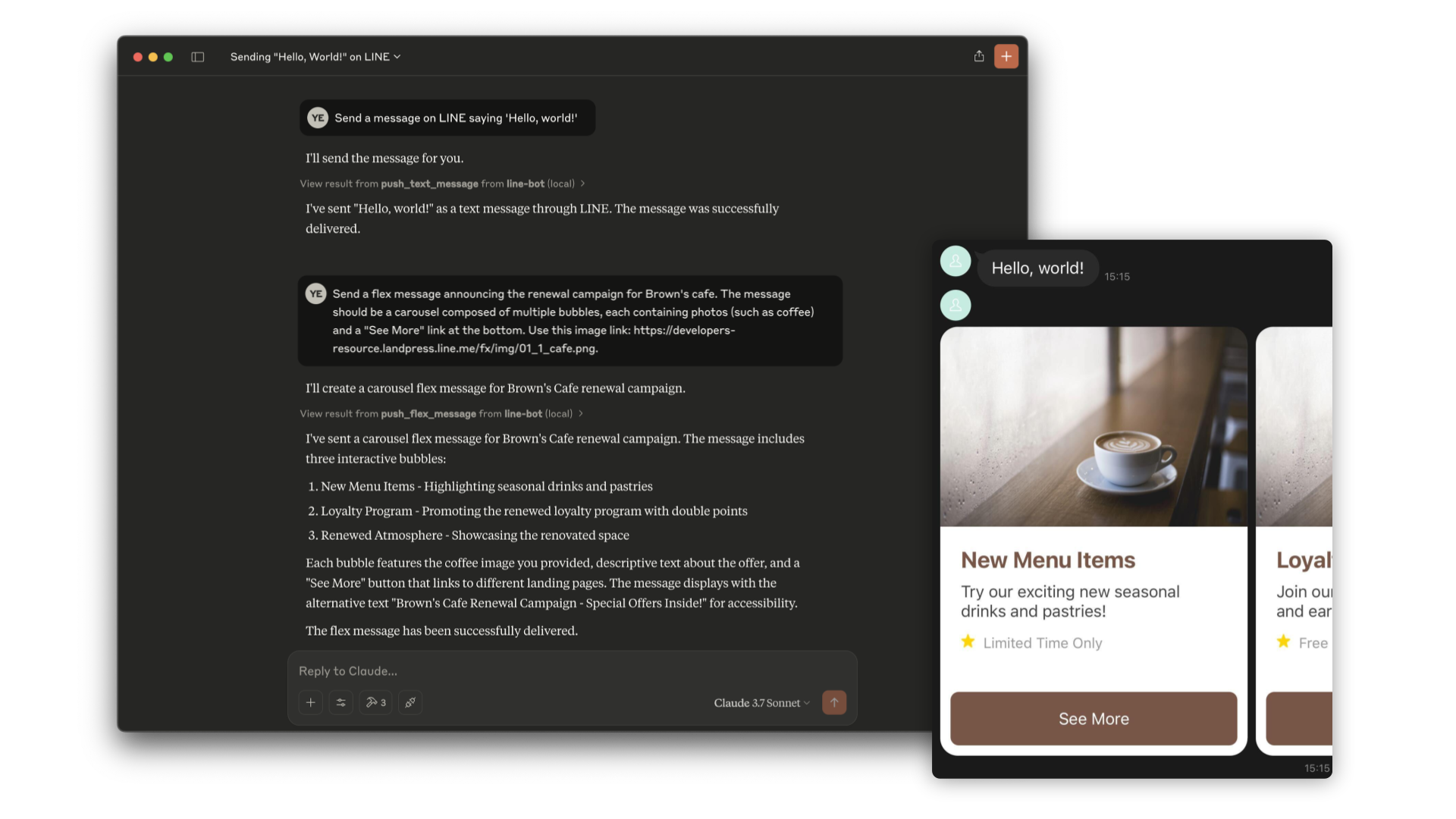
Model Context Protocol (MCP) server implementation that integrates the LINE Messaging API to connect an AI Agent to the LINE Official Account.
Заметка
This repository is provided as a preview version. While we offer it for experimental purposes, please be aware that it may not include complete functionality or comprehensive support.
Tools
push_text_message
- Push a simple text message to a user via LINE.
- Inputs:
userId(string?): The user ID to receive a message. Defaults to DESTINATION_USER_ID. EitheruserIdorDESTINATION_USER_IDmust be set.message.text(string): The plain text content to send to the user.
push_flex_message
- Push a highly customizable flex message to a user via LINE.
- Inputs:
userId(string?): The user ID to receive a message. Defaults to DESTINATION_USER_ID. EitheruserIdorDESTINATION_USER_IDmust be set.message.altText(string): Alternative text shown when flex message cannot be displayed.message.contents(any): The contents of the flex message. This is a JSON object that defines the layout and components of the message.message.contents.type(enum): Type of the container. 'bubble' for single container, 'carousel' for multiple swipeable bubbles.
broadcast_text_message
- Broadcast a simple text message via LINE to all users who have followed your LINE Official Account.
- Inputs:
message.text(string): The plain text content to send to the users.
broadcast_flex_message
- Broadcast a highly customizable flex message via LINE to all users who have added your LINE Official Account.
- Inputs:
message.altText(string): Alternative text shown when flex message cannot be displayed.message.contents(any): The contents of the flex message. This is a JSON object that defines the layout and components of the message.message.contents.type(enum): Type of the container. 'bubble' for single container, 'carousel' for multiple swipeable bubbles.
get_profile
- Get detailed profile information of a LINE user including display name, profile picture URL, status message and language.
- Inputs:
userId(string?): The ID of the user whose profile you want to retrieve. Defaults to DESTINATION_USER_ID.
get_message_quota
- Get the message quota and consumption of the LINE Official Account. This shows the monthly message limit and current usage.
- Inputs:
- None
get_rich_menu_list
- Get the list of rich menus associated with your LINE Official Account.
- Inputs:
- None
delete_rich_menu
- Delete a rich menu from your LINE Official Account.
- Inputs:
richMenuId(string): The ID of the rich menu to delete.
set_rich_menu_default
- Set a rich menu as the default rich menu.
- Inputs:
richMenuId(string): The ID of the rich menu to set as default.
cancel_rich_menu_default
- Cancel the default rich menu.
- Inputs:
- None
create_rich_menu
- Create a rich menu based on the given actions. Generate and upload an image. Set as default.
- Inputs:
chatBarText(string): Text displayed in chat bar, also used as rich menu name.actions(array): The actions of the rich menu. You can specify minimum 1 to maximum 6 actions. Each action can be one of the following types:postback: For sending a postback actionmessage: For sending a text messageuri: For opening a URLdatetimepicker: For opening a date/time pickercamera: For opening the cameracameraRoll: For opening the camera rolllocation: For sending the current locationrichmenuswitch: For switching to another rich menuclipboard: For copying text to clipboard
get_follower_ids
- Get a list of user IDs of users who have added the LINE Official Account as a friend. This allows you to obtain user IDs for sending messages without manually preparing them.
- Inputs:
start(string?): Continuation token to get the next array of user IDs. Returned in thenextproperty of a previous response.limit(number?): The maximum number of user IDs to retrieve in a single request.
get_group_summary
- Get the group chat summary including group ID, group name, and group icon URL, using the group ID.
- Inputs:
groupId(string): The group ID of the target group chat.


